Courses
Courses
Preview

This is your website preview.

Currently it only shows your basic business info. Start adding relevant business details such as description, images and products or services to gain your customers attention by using Boost 360 android app / iOS App / web portal.

918140098538
courses
CNC Design in CorelDRAW –
CNC DESIGN FOR MULTI COURSE

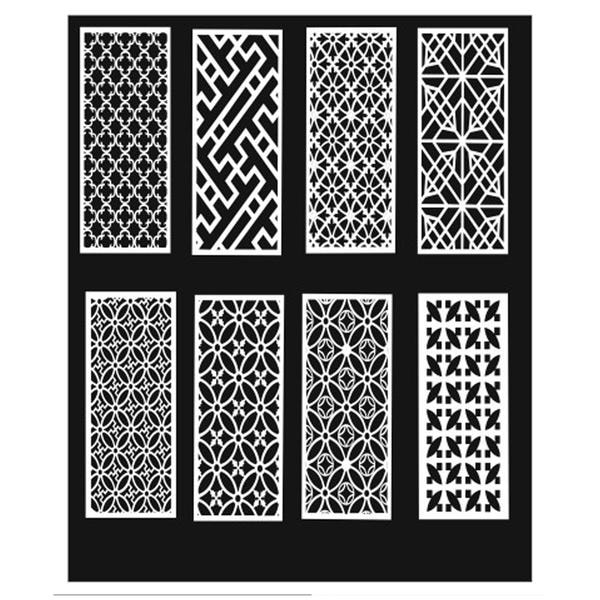
CNC Design in CorelDRAW – Concept DescriptionCNC design in CorelDRAW refers to the process of creating precise vector-based drawings that can be converted into machine instructions for CNC (Cmputer Numerical Control) machines such as routers, laser cutters, plasma cutters, and milling machines.CorelDRAW is widely used in CNC workflows because it creates clean, scalable vector graphics, which CNC software requires to generate accurate toolpaths.1️⃣ What is CNC Design?CNC design is the preparation of digital drawings that guide machines to cut, carve, engrave, or mill materials like:WoodAcrylicMDFMetalPVCFoamThe design must follow exact measurements and technical guidelines to ensure proper machine execution. ...

View More
1. “Unleash the Athlete W
T SHIRT DESIGN & PRINTING COURSE

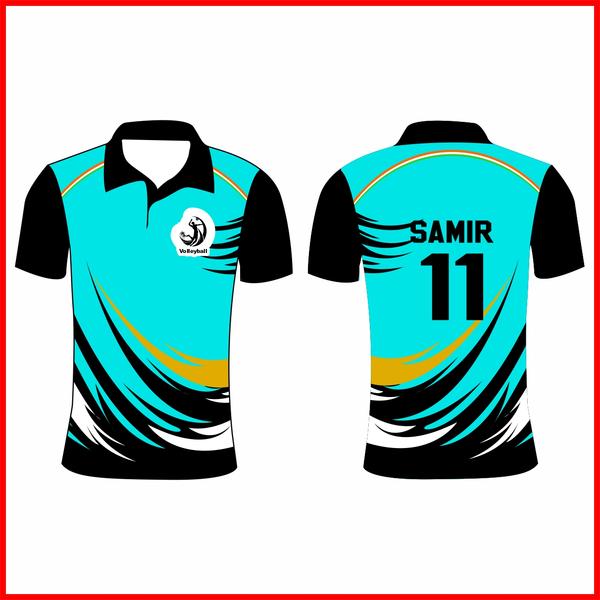
1. “Unleash the Athlete Within”A bold typography-based design featuring a powerful slogan across the chest. Use sharp, dynamic fonts with motion lines or lightning streaks in the background to symbolize speed and strength. You can add a subtle silhouette of a runner, footballer, or basketball player behind the text. Best suited for high-contrast colors like black and neon green, navy and red, or white and royal blue.2. Minimalist Sports Icon DesignA clean and modern design with a single sports icon (like a basketball, football, cricket bat, or dumbbell) placed at the center or on the upper left chest. Use geometric shapes or line art for a sleek appearance. This style works great with solid colors and limited palettes, making it perfect for team uniforms or gym wear.3. Vintage Retro Sports ThemeCreate a retro-inspired design using distressed fonts and faded color tones. Add classic badge or emblem shapes with phrases like “Champions League,” “Since 1995,” or “All-Star Team.” Earthy tones such as mustard yellow, maroon, forest green, and navy enhance the vintage feel. This style gives a timeless, old-school athletic vibe.4. Action Splash ArtworkShow an athlete in motion with paint-splash or watercolor effects exploding around them. For example, a cricketer hitting a six or a basketball player dunking, with bright splashes symbolizing energy and impact. This design feels dynamic and eye-catching, ideal for youth sports events or tournaments.5. Motivational Quote DesignFeature an inspiring sports quote like “No Pain No Gain,” “Train Hard Win Easy,” or “Born to Play.” Use layered typography with shadow effects and bold alignment. You can combine it with subtle background elements like stopwatch graphics, speed lines, or flame effects to add intensity.6. Team Pride DesignPerfect for school or club teams. Include the team name in large bold letters, the mascot in the center, and the establishment year underneath. Use the team’s official colors for unity and identity. Adding stripes on sleeves or numbers on the back enhances the professional sports look.7. Abstract Pattern Sports DesignIncorporate modern abstract patterns like camouflage, geometric shapes, or gradient waves. Blend these patterns with sports symbols for a contemporary athletic style. This design works especially well for running, cycling, or gym wear collections. ...

View More
SEMESTER 1 [2D & 3D DRAFT
SHORT TERM DIPLOMA IN VIZ PRO - ARCHITECTURAL ...

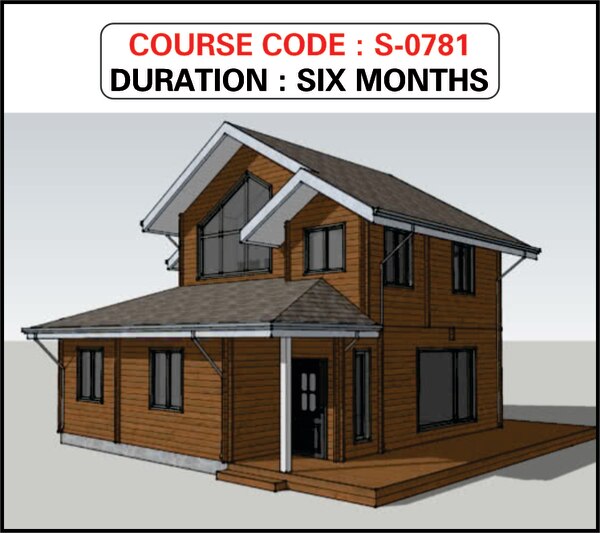
SEMESTER 1 [2D & 3D DRAFTING - CAD]PLAN & CIVIL STRUCTURE DESIGN Intro. Auto CAD & User Interface  Layers, Lay outs, Draw & Draw order Calculation, Units, Limits & Offsets  Navigation, Orbit, Reference, Refedit Properties, UCS, UCS II, Object Snapping Enquiry- Distance, Area, Mass/Volume Drawing- Line, Poli line, Multiline & Rays  Polygon, Rectangle, Ellipse, Donuts & Arches  Hatch, Gradient, Boundary, Region & Wipeout Block, Block editor, Table, Text & Points Command & Command Pannel- Move, Copy, Scale, Trim, Extend, Mirror..etc Break, Join, Chamfer, Fillet, Explode & Erase Dimension, Array- Polar & Rectangular  Raster Image Reference & Super Hatches Format- DWG & DFX options-ASCII & BINARY Plotting, Publishing, Exporting & JPEG Out PERSPECTIVE & SOLID EDITING View, Viewport, Visual Styles  Wireframe, Realistic & Conceptual Styles  Converting Civil Plans to 3D view  Extrude, Union, Subtract & Intersect Solid Editing- Copy Face, Move Face  Colour, Rotate, Tapper, Offset & Delete Faces Presspull, Revolve, Loft, Lathe & Shell  Modeling-Polisolid, Box, Wedge, Pyramid etc.. Tool Pallet Window- Material Library Annotation, Architectural & Imperial Hatches  Lights- Point, Spot & Distant lights Mapping- Planer, Box, Calendrical & Spherical  Display, User Preference & Profile Setting Render & Advanced Render Setting 3D Motion Path Animation  Customize User Interface & Tool Settings  Developing Exterior Elevation for 3D MaxSEMESTER 2 [MODELING – TRIMBLE SKETCH UP]SKETCHUP – MODELING AND TEXTURING User interface, Basic Shapes & Modeling Setting up viewand pallets, Templates Navigation - Zoom, Pan and Orbit& Selection Basic Modifiers - Rotate, Move/Copy&  Push/Pull, Setting Units' Tape Measure Protractor, Creating and deleting guides Setting and using dimensions and notes Groups and Components Hide / Unhide / Unhide All  Follow-Me tool, Offset, Axis, 3D Text Sandbox Tool, Solid Tools Section Planes / Cuts, Setting & placing cameras, Scenes and Animation Materials, Texture Mapping, Lights Environment Lighting, Light and Shadow Reflections, Refraction, Transparency Physical Camera, Sun and Sky, V-Ray SkSEMESTER 3 [POST PRODUCTION – OUT PUT]EDITING IN PHOSHOP  Computerized Photo - Mixing & Editing, Getting started with Photoshop, Colour separation, Colour Theory & Brushes Retouching of damages, Dig. Album creation, Studio base editing of scanned Images, Illustration graphic, Creating Collages, Masks Channel, Layers & History  Back ground & Abstract Designing, Scanning, Filter effects & Plugins, Web page layouts etc... Computerized Photo - Mixing & Editing, Getting started with Photoshop, Colour separation, Colour Theory & Brushes Retouching of damages, Dig. Album creation, Studio base editing of scanned Images, Illustration graphic, Creating Collages, Masks Channel, Layers & History  Back ground & Abstract Designing, Scanning, Filter effects & Plugins, Web page layouts etc... ...

View More
LEVEL - 1 [DIGITAL GRAPHI
ADVANCED DIPLOMA IN MAYA ANIMATION & VFX

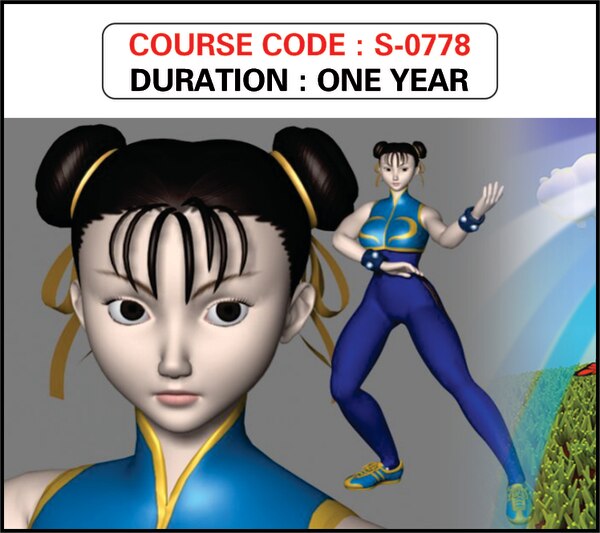
LEVEL - 1 [DIGITAL GRAPHIC & ILLUSTRATION] CREATION & ENHANCING IN COREL DRAW Basic of Computer, Intro. to Compu. Hardware Software Installation, Internet & browsing  Vector & Raster Graphics and Illustration Corel Draw - Colour theory & Schemes  Separation, Colour Pallets, Logo Creation Visiting Card, Wedding Card, Flex Banner, CD  Calender, Tools, Menu bar & Filter Effects 2D to 3D conversion, Working with Fonts Bitstream Font Navigator, Import & Exporting  Working with Bitmaps, Duplexing wizard Publishing for Service bearo DIGITAL GRAHPIC ILLUSTRATION IN PHOTOSHOP Computerized Photo - Mixing & Editing, Getting started with Photoshop, Colour separation, Colour Theory & Brushes Retouching of damages, Dig. Album creation, Studio base editing of scanned Images, Illustration graphic, Creating Collages, Masks Channel, Layers & History, ModelingLEVEL - 2 [MASTERING IN MAYA ANIMATION] MAYA - USER INTERFACE Project Over view- Setting Scenes & Projects Navigation in Maya, Layers & Lay outs Panel & Vew Port Identification  Customizing Maya & Software Installation MAYA – SURFACE POLIGON MODELING Project Over view- Setting Scenes & Projects Navigation in Maya, Layers & Lay outs Panel & Vew Port Identification  Customizing Maya & Software Installation MAYA – NURBS, SUBDIVISIONS & DEFORMERS Material Editor & Blinn Parameters  Shaded , Standard & Mental Ray Materials  Texturing, UVW Maps, Unwrap UVW Multi-layer material & Backed Textures3D MAX – RIGGING & SKINNING Creating Nurbs & polygons & Covering  Editing Nurbs & Patch Modeling Lattice, Wrap, Shine, Flair, Squash, Wave.... Sub divis & Modeling with Deformers MAYA – SHADING & TEXTURING Shader Type & Shader Attributes Texturing surface, Mental ray Shader Unwrapping, Paint Effect Tools, Flip tube Hyper shade, Various Blinn Parameters  UVW Mapping, Unwrapping,  Creating V-Ray Material & Illumination LEVEL - 3 [PRODUCTION IN MAYA ANIMATION]` MAYA – LIGHTING & CAMERA Maya Lighting, Light Linking, Shadows  Raytracing Soft Shadow & Mental ray Different Lighting Parameters & Effects  Camera, Camera and Aim, Aim And Up Stereo Camera, Camera Setting,  Constraints & camera Animation MAYA – RIGGING & ANIMATION Principles of Animation & Techniques  IK & FK, Joins, Custom Rigg & Skeletons  Auto Key & Set Key, Graph & Trax Editor Bone Setting, Mussels, Blend Shapes  Skinnig- Value Base & Paint WeightMAYA – DYNAMICS. N DYNAMICS & PARTICLES Assets, Particles, Fluid ,Cloth, Field, Hair & Fur Emiters, Emit Objects, Particle Collitions  Create 2D & 3D Container, Ocean, Pond.. Air, Drag, Gravity, Newton, Vortex, Uniform  Soft/ Rigbody, Effects- Fire, Smoke, Smokes..MAYA – PRODUCTION Render Set-up-Maya Software-Hardware  Mental Ray & Vector render, Batch Render Field Options, Multi-pixel Filtering & Sampling Render Features & Indirect Illuminations  Final Gathering & Character MoviesLEVEL - 4 [POST PRODUCTION]EDITING & VFX Advanced Study of Adobe Premier  Interface to Adobe After Effects  Study with Single Layer & Multi-Layer Editing Video Transitions & Video Effects Audio Transitions & Audio Effects  Title Editing- Still & Animated Default Scroll & Roll testing Text Manipulation, Editing & Importing Filter Effects & Plugins & Chroma Keying  Audio & Video Compositing  Commercial Advertisement Production Wedding Albums & Cassets Production Capturing with Premier & Pinnacle Studio Rendering & Exporting Movies Export to Adobe media Encoder  Making & Converting to different Formats  AVI, MPEG, FLV, MPEG4, Quick Time etc... Creating VCD, DVD, HD Rendering Show Real Developing- Portfolio Management ...

View More
LEVEL - 1 [GRAPHIC & ILLU
POST GRADUATE DIPLOMA IN MULTIMEDIA - PGDM

LEVEL - 1 [GRAPHIC & ILLUSTRATION] CREATION & ENHANCING Basic of Computer, Intro. to Compu.Hardware Software Installation, Internet & browsing  Vector & Raster Graphics and Illustration Corel Draw - Colour theory & Schemes  Separation, Colour Pallets, Logo Creation Visiting Card, Wedding Card, Flex Banner, CD  Calender, Tools, Menu bar & Filter Effects 2D to 3D conversion, Working with Fonts Bitstream Font Navigator, Import & Exporting  Working with Bitmaps, Duplexing wizard Publishing for Service beauro DIGITAL PHOTO MIXING & EDITION Computerized Photo - Mixing & Editing, Getting started with Photoshop, Colour separation, Colour Theory & Brushes Retouching of damages, Dig. Album creation, Studio base editing of scanned Images, Illustration graphic, Creating Collages, Masks Channel, Layers & History, Fashion Modeling  Back ground & Abstract Designing, Scanning, Filter effects & Plugins, Web page layouts etc... CORPORATE DESIGN & BOX DESIGN Designing Barouches & Commercial Lay-outs Magazines, Multi folder Leaf lets, Text Books Electronic media & CD label creation-sticker Landscapes ,Terrain & Abstract Designing Package Designing, Bottle Designing Box Designs- Saree & Pharmaceutical Boxes, Thermocol based packages, Jwellary & Gifts 3 dimetional presentation of Boxes Isometrical Dawing in Corel darw......... PRE-PRESS & PRODUCTION Printing & Publishing techniques  Paper & GSM study- 23x36, 25x36, 40x20.. Dummy Setting and Page Handling CMYK & RGB Separation,  File Format: JPEG, TARGA, PSD, PDF, WMF, TIFF, CDR, PNG, EPS, AI ... detailed study...! Screen Printing & Offset Printing Technology  CTCPT & Thermel Plate- advanced study POST PRODUTION ....The secret level Folding, Creasing, Normal & Thermel Binding  Rulering , Perforation, Coding & Numbering  Glossy, Mate & UV lamination techniques  Punching, Foiling, Embossing ,3D Lamination  Dye Making, Cutting & Box folding  Advertisement & Commercial Add Making Marketing Techniques.......& much more.....LEVEL - 2 [WEB DEDSIGN & 2D ANIMATION]DYNAMIC SITE & FLASH ANIMATION Intro. to Flash & Flash Interface  Working with Layer & 7 Time lines Creating Motion Twin, Onion skin effects Working with Text & Images Tool bar, Menu bar & library  Controllers, Components study  Converting to Graphic | Movie clip | Buttons  Creating animated Website  Linking between Scenes & Buttons  Animated Movie clips & Cartoon interface Scripting with Action scripts Into. to Network & Implementing we pages Marquees & hyperlink  Sound Effects & Sound editing  Dynamic & Streaming Web sites Rollovers & Drop downs Test & maintaining a Web Site  Assignment & Portfolio developing Project works etc..LEVEL - 2 [RESPONSIVE WEBSITES]DREAMWEAVER - PHP - CSS Hyper Text Markup Language, PHP PHP overview & HTML pages Linking & Navigation Flash Banner to Dream weaver  Formatting Text, Table & Frames Page Layout creation- Raw, Column  Image placeholders  Rollover Images & Navigation barBOOTSTAP- WEBSITES Pager, List Groups, Panels, Dropdowns Collapse, Tabs/ Pills, Navbar, Forms, Inputs Inputs 2, Input Sizing, Media Objects Carousel, Modal, Tooltip, Popover Scrollspy, Affix, Filters, Bootstrap Grids Portfolio management & Projects.LEVEL - 3 [2D DRAFTING & INTERIORDESIGN]MECANICAL & CIVIL Intro. Auto CAD & User Interface  Layers, Lay outs, Draw & Draw order Calculation, Units, Limits & Offsets  Navigation, Orbit, Reference, Refedit Properties, UCS, UCS II, Object Snapping Enquiry- Distance, Area, Mass/Volume Drawing- Line, Poli line, Multiline & Rays  Polygon, Rectangle, Ellipse, Donuts & Arches  Hatch, Gradient, Boundary, Region & Wipeout Block, Block editor, Table, Text & Points Command & Command Pannel- Move, Copy, Scale, Trim, Extend, Mirror..etc Break, Join, Chamfer, Fillet, Explode & Erase Dimension, Array- Polar & Rectangular  Raster Image Reference & Super Hatches Format- DWG & DFX options-ASCII & BINARY Plotting, Publishing, Exporting & JPEG Out PERSPECTIVE & SOLID EDITING View, Viewport, Visual Styles  Wireframe, Realistic & Conceptual Styles  Converting Civil Plans to 3D view  Extrude, Union, Subtract & Intersect Solid Editing- Copy Face, Move Face  Colour, Rotate, Tapper, Offset & Delete Faces Presspull, Revolve, Loft, Lathe & Shell  Modeling-Polisolid, Box, Wedge, Pyramid etc.. Tool Pallet Window- Material Library Annotation, Architectural & Imperial Hatches  Lights- Point, Spot & Distant lights Mapping- Planer, Box, Calendrical & Spherical  Display, User Preference & Profile Setting Render & Advanced Render Setting 3D Motion Path Animation  Customize User Interface & Tool Settings  Developing Exterior Elevation for 3D MaxLEVEL – 4 [2D DRAFTING & INTERIORDESIGN]3D MAX - USER INTERFACE Standard & Extended Primitives Viewport navigation & Customization  Compound Objects & Sub-Objects 2D Shapes & 2D to modifiers  Lathe, Loft, Boolean, Scatter, FFD & more...3D MAX - MODELING Line Modeling & BG Modeling Polygon Modeling, Surface Modeling 3d Production & Character Modeling 3D MAX – MATERIAL & TEXTUTING Material Editor & Blinn Parameters  Shaded , Standard & Mental Ray Materials  Texturing, UVW Maps, Unwrap UVW Multi-layer material & Backed Textures3D MAX – RIGGING & SKINNING Rigging Workflow, Bone System & Refining Interactive IK & Binding Objects Skin Modifier & Envelope Setting  Setting Poses, Saving & Loading characters3D MAX – CAMERA & LIGHTING Free Camera & Target camera Camera walk through & Path Constraint  Photometric & Standard Lights Omni, Free Spot & Target Spot, Sky Light mr Sun, mr sky, mr area Omni.....etc Shadow Parameters & Retrace SettingLEVEL – 5 [2D DRAFTING & INTERIORDESIGN]3D MAX – PARTICLE ANIMATION PF Source, P Array, Spray, Snow, P Cloud.... Vortex, P Bomb, Path Flow, Gravity.... Deflectors, Dynamics, Ripple, Wave, Wind... Day Light Assembly, Particle View ,Scripting, 3D MAX – RENDERING  Auto Key & Set Key, Graph Editor Constraint & Controllers, Dummy Setting  Render Setting- Scan line, Mental & V- Ray. Video Post, Radiosity & Advanced Lighting  Production & Out Put size Setting Codec Cine, DV & Different Encoders Final Gathering & MoviePOST PRODUCTION & VFX Advanced Study of Adobe Premier  Interface to Adobe After Effects  Study with Single Layer & Multi-Layer Editing Video Transitions & Video Effects Audio Transitions & Audio Effects  Title Editing- Still & Animated Default Scroll & Roll testing Text Manipulation, Editing & Importing Filter Effects & Plugins & Chroma Keying  Audio & Video Compositing  Commercial Advertisement Production Wedding Albums & Cassets Production Capturing with Premier & Pinnacle Studio Rendering & Exporting Movies Export to Adobe media Encoder  Making & Converting to different Formats  AVI, MPEG, FLV, MPEG4, Quick Time etc... Creating VCD, DVD, HD Rendering Show Real Developing- Portfolio ManagementLEVEL – 5 [2D DRAFTING & INTERIORDESIGN]3D MODELING – MAYA BASIC Project Over view- Setting Scenes & Projects Navigation in Maya, Layers & Lay outs Panel & Vew Port Identification  Customizing Maya & Software Installation  Revolve, Loft, Planar, Extrude, Birail, etc... Polygon- Geometry Shapes, EP & CV cuves Editing Polygon- Control Vertex, Control Points Creating Nurbs & polygons & Covering  Editing Nurbs & Patch Modeling Lattice, Wrap, Shine, Flair, Squash, Wave.... Sub divis & Modeling with Deformers ...

View More

LEVEL - 1 [DIGITAL GRAPHI
ADVANCED DIPLOMA IN 3D ANIMATION & VFX

LEVEL - 1 [DIGITAL GRAPHIC & ILLUSTRATION] CREATION & ENHANCING IN COREL DRAW Basic of Computer, Intro. to Compu. Hardware Software Installation, Internet & browsing  Vector & Raster Graphics and Illustration Corel Draw - Colour theory & Schemes  Separation, Colour Pallets, Logo Creation Visiting Card, Wedding Card, Flex Banner, CD  Calender, Tools, Menu bar & Filter Effects 2D to 3D conversion, Working with Fonts Bitstream Font Navigator, Import & Exporting  Working with Bitmaps, Duplexing wizard Publishing for Service bearo DIGITAL GRAHPIC ILLUSTRATION IN PHOTOSHOP Computerized Photo - Mixing & Editing, Getting started with Photoshop, Colour separation, Colour Theory & Brushes Retouching of damages, Dig. Album creation, Studio base editing of scanned Images, Illustration graphic, Creating Collages, Masks Channel, Layers & History, ModelingLEVEL - 2 [MODELING, TEXTURING & RIGGING] 3D MAX - USER INTERFACE Standard & Extended Primitives Viewport navigation & Customization  Compound Objects & Sub-Objects 2D Shapes & 2D to modifiers  Lathe, Loft, Boolean, Scatter, FFD & more...3D MAX - MODELING Line Modeling & BG Modeling Polygon Modeling, Surface Modeling 3d Production & Character Modeling 3D MAX – MATERIAL & TEXTUTING Material Editor & Blinn Parameters  Shaded , Standard & Mental Ray Materials  Texturing, UVW Maps, Unwrap UVW Multi-layer material & Backed Textures3D MAX – RIGGING & SKINNING Rigging Workflow, Bone System & Refining Interactive IK & Binding Objects Skin Modifier & Envelope Setting  Setting Poses, Saving & Loading charactersLEVEL - 3 [DIGITAL ANIMATION]3D MAX – CAMERA & LIGHTING Free Camera & Target camera Camera walk through & Path Constraint  Photometric & Standard Lights Omni, Free Spot & Target Spot, Sky Light mr Sun, mr sky, mr area Omni.....etc Shadow Parameters & Retrace Setting3D MAX – PARTICLE ANIMATION PF Source, P Array, Spray, Snow, P Cloud.... Vortex, P Bomb, Path Flow, Gravity.... Deflectors, Dynamics, Ripple, Wave, Wind... Day Light Assembly, Particle View ,Scripting, 3D MAX – RENDERING  Auto Key & Set Key, Graph Editor Constraint & Controllers, Dummy Setting  Render Setting- Scan line, Mental & V- Ray. Video Post, Radiosity & Advanced Lighting  Production & Out Put size Setting Codec Cine, DV & Different Encoders Final Gathering & MovieLEVEL - 4 [PRODUCTION & VFX]POST PRODUCTION & VFX Advanced Study of Adobe Premier  Interface to Adobe After Effects  Study with Single Layer & Multi-Layer Editing Video Transitions & Video Effects Audio Transitions & Audio Effects  Title Editing- Still & Animated Default Scroll & Roll testing Text Manipulation, Editing & Importing Filter Effects & Plugins & Chroma Keying  Audio & Video Compositing  Commercial Advertisement Production Wedding Albums & Cassets Production Capturing with Premier & Pinnacle Studio Rendering & Exporting Movies Export to Adobe media Encoder  Making & Converting to different Formats  AVI, MPEG, FLV, MPEG4, Quick Time etc... Creating VCD, DVD, HD Rendering Show Real Developing- Portfolio Management ...

View More
LEVEL - 1 [DIGITAL GRAPHI
MASTER DIPLOMA IN VIDEO & SOUND EDITING

LEVEL - 1 [DIGITAL GRAPHIC & ILLUSTRATION] CREATING & ENHANSING  Basic of Computer, Intro. to Compu.Hardware Software Installation, Internet & browsing  Vector & Raster Graphics and Illustration Corel Draw - Colour theory & Schemes  Separation, Colour Pallets, Logo Creation Visiting Card, Wedding Card, Flex Banner, CD  Calendar, Tools, Menu bar & Filter Effects 2D to 3D conversion, Working with Fonts Bitstream Font Navigator, Import & Exporting  Working with Bitmaps, Duplexing wizard Publishing for Service bearo DIGITAL PHOTO MIXING & EDITING Computerized Photo - Mixing & Editing, Getting started with Photoshop, Colour separation, Colour Theory & Brushes Retouching of damages, Dig. Album creation, Studio base editing of scanned Images, Illustration graphic, Creating Collages, Masks Channel, Layers & History, Fashion ModelingLEVEL - 2 [CREATIVE MASTER SEGMENT ] CORPORATE DESIGN & STUDIO DIVISION Designing Barouches & Commercial Lay-outs Magazines, Multi folder Leaf lets, Text Books Electronic media & CD label creation-sticker Landscapes ,Terrain & Abstract Designing Package Designing, Bottle Designing Box Designs- Saree & Pharmaceutical Boxes, Thermocol based packages, Jewelry & Gifts 3 dimetional presentation of Boxes Isometrical Dawing in Corel darw.........  Into. to Network & Implementing we pages Marquees & hyperlink Sound Effects & Sound editing  Dynamic & Streaming Web sites Rollovers & Drop downs Test & maintaining a Web Site  Assignment & Portfolio developing Project works etc..VALIDATION WITH JAVA SCRIPT Types of Java Scripts Variables, operators, loops,  Using Objects, Events Common Java Script Functions. Using Java Script in Dreamweaver Java Scripts ValidationsLEVEL - 2 [WEB DESIGNING & INTERACTIVE ]BASIC PHP Embedding PHP in HTML Embedding HTML in PHP Introduction & Using Variables Understanding data type, Using Operators Writing Statements and Comments Using conditional statements IF(), else if() and else if conditionARRAYS & CUSTOM FUNCTION Creating and Modifying Array elements  Processing Arrays With Loops Grouping From Selections with Arrays Using Array FunctionsCREATING BASIC PROGRAME WITH PHP Reading and Writing Files Reading & Writing Data From a File Testing File Attributes. Managing Sessions and Using SessionINTRODUCTION TO AFTER EFFECT Introduction to After Effect Installation of After Effect & Adobe Bridge  Importing of Images , Videos & Sounds Studying of Layers, Composition Keyframe interpolation, Animation Filter Effect, Trapcode Plug-ins concept Introduction to Title animation  Video compositing & Rendering,  Pre compositing & Exporting of Movies LEVEL - 3 [PRODUCTION & POST PRODUCTION ] VIDEO & SOUND EDITING Advanced Study of Adobe Premier  Interface to Adobe After Effects  Study with Single Layer & Multi-Layer Editing Video Transitions & Video Effects Audio Transitions & Audio Effects  Title Editing- Still & Animated Default Scroll & Roll testing Text Manipulation, Editing & Importing Filter Effects & Plugins & Chroma Keying  Audio & Video Compositing  Commercial Advertisement Production Wedding Albums & Cassets Production Capturing with Premier & Pinnacle Studio Rendering & Exporting Movies Export to Adobe media Encoder  Making & Converting to different Formats  AVI, MPEG, FLV, MPEG4, Quick Time etc... Creating VCD, DVD, HD Rendering Show Real Developing- Portfolio Management ...

View More
LEVEL - 1 [DIGITAL GRAPHI
ADVANCED DIPLOMA IN WEBSITE DEVELOPING

LEVEL - 1 [DIGITAL GRAPHIC & ILLUSTRATION] DIGITAL GRAPHICAL ILLUSTRATION - PHOTOSHOP Computerized Photo - Mixing & Editing, Getting started with Photoshop, Colour separation, Colour Theory & Brushes Retouching of damages, Dig. Album creation, Studio base editing of scanned Images, Illustration graphic, Creating Collages, Masks Channel, Layers & History, Fashion Modeling  Back ground & Abstract Designing, Scanning, Filter effects & Plugins, Web page layouts etc... ARTISTRY & WEB LAYOUTS Designing Web site Layout using Photoshop  Creating Company Logos- 2D & 3D logos Landscapes Terrain & Abstract Designing. File Format: JPEG, TARGA, PSD, PDF, WMF, TIFF, CDR, PNG, EPS, AI ... detailed study...!LEVEL - 2 [WEB DESIGNING & INTERACTIVE ] DYNAMIC SITE & FLASH ANIMATION Intro. to Flash & Flash Interface  Working with Layer & 7 Time lines Creating Motion Twin, Onion skin effects Working with Text & Images Tool bar, Menu bar & library  Controllers, Components study  Converting to Graphic | Movie clip | Buttons  Creating animated Website  Linking between Scenes & Buttons  Animated Movie clips & Cartoon interface Scripting with Action scripts Into. to Network & Implementing we pages Marquees & hyperlink Sound Effects & Sound editing  Dynamic & Streaming Web sites Rollovers & Drop downs Test & maintaining a Web Site  Assignment & Portfolio developing Project works etc..VALIDATION WITH JAVA SCRIPT Types of Java Scripts Variables, operators, loops,  Using Objects, Events Common Java Script Functions. Using Java Script in Dreamweaver Java Scripts ValidationsLEVEL - 2 [WEB DESIGNING & INTERACTIVE ]BASIC PHP Embedding PHP in HTML Embedding HTML in PHP Introduction & Using Variables Understanding data type, Using Operators Writing Statements and Comments Using conditional statements IF(), else if() and else if conditionARRAYS & CUSTOM FUNCTION Creating and Modifying Array elements  Processing Arrays With Loops Grouping From Selections with Arrays Using Array FunctionsCREATING BASIC PROGRAME WITH PHP Reading and Writing Files Reading & Writing Data From a File Testing File Attributes. Managing Sessions and Using Session Creating a Session and Registering SessionEDITING RECORDS & PERFORMING QUERIES Inserting, Editing and Deleting Records Performing Queries Retrieving Specific Columns Filtering Records with a WHERE Clause Sorting Records and Eliminating Duplicates USING PHP WITH MY SQL Managing Database Connections Performing Queries & Processing Result Sets Queries That Alter Data & Handling Errors Using Ancillary Functions Creating a Session and Registering SessionCREATING FORMS WITH HTML HTML Basics Creating Foms with HTML ...

View More
LEVEL - 1 [PRODUCTION & V
CERTIFICATE IN 3D MOTION GRAPHICS

LEVEL - 1 [PRODUCTION & VFX] 2D GRAPHICS IN PHOTOSHOP Computerized Photo - Mixing & Editing, Getting started with Photoshop, Colour separation, Colour Theory & Brushes Retouching of damages, Dig. Album creation, Studio base editing of scanned Images, Illustration graphic, Creating Collages, Masks Channel, Layers & History, Modeling POST PRODUTION - EDITING & VFX Advanced Study of Adobe Premier  Interface to Pinnacle Studio Working with Time line ,Masking & Keying Capturing ,Video Transitions & Video Effects  Video & Audio Mixing & Compositing Rendering & Exporting Movies Making & Converting to different Formats  AVI, MPEG, FLV, MPEG4, Quick Time etc... Creating VCD, DVD, HD Rendering Show Real Developing- Portfolio ManagementLEVEL - 2 [3D GRAPHIC ILLUSTRATION]MODELING IN 3DS MAX Standard & Extended Primitives Viewport navigation & Customization  Compound Objects & Sub-Objects 2D Shapes & 2D to modifiers  Lathe, Loft, Boolean, Scatter, FFD & more... Line Modeling & BG Modeling 3D Poster & Commercial ProductsTEXTURING, CAMERA & LIGHTING Material Editor & Blinn Parameters  Shaded , Standard & Mental Ray Materials  Texturing, UVW Maps, Unwrap UVW Multi-layer material & Backed Textures  Free Camera & Target camera Camera walk through & Path Constraint  Photometric & Standard Lights Omni, Free Spot & Target Spot, Sky Light mr Sun, mr sky, mr area Omni.....etc Shadow Parameters & Retrace SettingLEVEL - 3 [MOTION GRAPHICS PRODUCTION]ANIMATION IN 3DS MAX PF Source, P Array, Spray, Snow, P Cloud.... Vortex, P Bomb, Path Flow, Gravity.... Deflectors, Dynamics, Ripple, Wave, Wind... Day Light Assembly, Particle View ,Scripting, Auto Key & Set Key, Graph Editor Constraint & Controllers, Dummy Setting  Render Setting- Scan line, Mental Ray. Third Party Plugin, eg. Krakatoa, V-Ray Net Render & Batch Render Video Post, Radiosity & Advanced Lighting  Production & Out Put size Setting Codec Cine, PAL, DV & Different Encoders Color Correction, Soft Selection & Paint Tool Tracking & Stabilize, Working with Effects Final Gathering & Movie - Jitter & Mitchel  Planning & Analysis, Portfolio  Evaluation & Presentation  Introduction to Cinema 4D ...

View More
LEVEL - 1 [DIGITAL GRAPHI
ADVANCED DIPLOMA IN WEB DESIGNING

LEVEL - 1 [DIGITAL GRAPHIC & ILLUSTRATION] CREATION & ENHANCEMENT Basic of Computer, Intro. to Compu.Hardware Software Installation, Internet & browsing  Vector & Raster Graphics and Illustration Corel Draw - Colour theory & Schemes  Separation, Colour Pallets, Logo Creation Visiting Card, Wedding Card, Flex Banner, CD  Calender, Tools, Menu bar & Filter Effects 2D to 3D conversion, Working with Fonts Bitstream Font Navigator, Import & Exporting  Working with Bitmaps, Duplexing wizard Publishing for Service beauro DIGITAL GRAPHICAL ILLUSTRATION - PHOTOSHOP Computerized Photo - Mixing & Editing, Getting started with Photoshop, Colour separation, Colour Theory & Brushes Retouching of damages, Dig. Album creation, Studio base editing of scanned Images, Illustration graphic, Creating Collages, Masks Channel, Layers & History, Fashion Modeling  Back ground & Abstract Designing, Scanning, Filter effects & Plugins, Web page layouts etc... ARTISTRY & WEB LAYOUTS Designing Web site Layout using Photoshop  Creating Buttons & Rollovers  Creating Company Logos- 2D & 3D logos Landscapes ,Terrain & Abstract Designing Paper & GSM study- 23x36, 25x36, 40x20.. File Format: JPEG, TARGA, PSD, PDF, WMF, TIFF, CDR, PNG, EPS, AI ... detailed study...! CMYK & RGB Separation  Isometrical-3D- Drawing in Corel darw.......LEVEL - 2 [WEB DESIGNING & INTERACTIVE] DYNAMIC SITE & FLASH ANIMATION• Intro. to Flash & Flash Interface • Working with Layer & 7 Time lines• Creating Motion Twin, Onion skin effects• Working with Text & Images• Tool bar, Menu bar & library • Controllers, Components study • Converting to Graphic | Movie clip | Buttons • Creating animated Website • Linking between Scenes & Buttons • Animated Movie clips & Cartoon interface• Scripting with Action scripts• Into. to Network & Implementing we pages• Marquees & hyperlink • Sound Effects & Sound editing • Dynamic & Streaming Web sites• Rollovers & Drop downs• Test & maintaining a Web Site • Assignment & Portfolio developing• Project works etc..LEVEL - 2 [RESPONSIVE WEBSITES]DREAMWEAVER - PHP - CSS• Hyper Text Markup Language, PHP• PHP overview & HTML pages• Linking & Navigation• Flash Banner to Dream weaver • Formatting Text, Table & Frames• Page Layout creation- Raw, Column • Image placeholders • Rollover Images & Navigation barBOOTSTAP- WEBSITES• Pager, List Groups, Panels, Dropdowns• Collapse, Tabs/ Pills, Navbar, Forms, Inputs• Inputs 2, Input Sizing, Media Objects• Carousel, Modal, Tooltip, Popover• Scrollspy, Affix, Filters, Bootstrap Grids• Portfolio management & Projects. ...

View More
LEVEL - 1 [GRAPHIC & ILLU
ADVANCED DIPLOMA IN INTERIOR DESIGN

LEVEL - 1 [GRAPHIC & ILLUSTRATION] CREATION & ENHANCEMENT Basic of Computer, Intro. to Compu.Hardware Software Installation, Internet & browsing  Vector & Raster Graphics and Illustration Corel Draw - Colour theory & Schemes  Separation, Colour Pallets, Logo Creation Visiting Card, Wedding Card, Flex Banner, CD  Calender, Tools, Menu bar & Filter Effects 2D to 3D conversion, Working with Fonts Bitstream Font Navigator, Import & Exporting  Working with Bitmaps, Duplexing wizard Publishing for Service beauro DIGITAL PHOTO MIXING & EDITION Computerized Photo - Mixing & Editing, Getting started with Photoshop, Colour separation, Colour Theory & Brushes Retouching of damages, Dig. Album creation, Studio base editing of scanned Images, Illustration graphic, Creating Collages, Masks Channel, Layers & History, Fashion Modeling  Back ground & Abstract Designing, Scanning, Filter effects & Plugins, Web page layouts etc...LEVEL - 2 [2D DRAFTING - AUTO CAD] ELEVATION & CIVIL STRUCTURAL DESIGN Intro. Auto CAD & User Interface  Layers, Lay outs, Draw & Draw order Calculation, Units, Limits & Offsets  Navigation, Orbit, Reference, Refedit Properties, UCS, UCS II, Object Snapping Enquiry- Distance, Area, Mass/Volume Drawing- Line, Poli line, Multiline & Rays  Polygon, Rectangle, Ellipse, Donuts & Arches  Hatch, Gradient, Boundary, Region & Wipeout Block, Block editor, Table, Text & Points Command & Command Pannel- Move, Copy, Scale, Trim, Extend, Mirror..etc Break, Join, Chamfer, Fillet, Explode & Erase Dimension, Array- Polar & Rectangular  Raster Image Reference & Super Hatches Mechanical Drawing Concepts  Format- DWG & DFX options-ASCII & BINARY Plotting, Publishing, Exporting & JPEG Out LEVEL - 3 [PERSPECTIVE & SOLID EDITING] ISOMETRIC STUDY - AUTO CAD 3D View, Viewport, Visual Styles  Wireframe, Realistic & Conceptual Styles  Converting Civil Plans to 3D view  Extrude, Union, Subtract & Intersect Solid Editing- Copy Face, Move Face  Colour, Rotate, Tapper, Offset & Delete Faces Presspull, Revolve, Loft, Lathe & Shell  Modeling-Polisolid, Box, Wedge, Pyramid etc.. Tool Pallet Window- Material Library Annotation, Architectural & Imperial Hatches  Lights- Point, Spot & Distant lights Mapping- Planer, Box, Calendrical & Spherical  Display, User Preference & Profile Setting Render & Advanced Render Setting Camera with walk & Fly 3D Motion Path Animation  Customize User Interface & Tool Settings  Developing Exterior Elevation for 3D MaxLEVEL - 4 [INTERIOR MODELING 3D]  Standard & Extended Primitives Viewport navigation & Customization  Compound Objects & Sub-Objects 2D Shapes , 2D to modifiers & Splines  Lathe, Loft, Boolean, Scatter, FFD & more... Line Modeling & BG Modeling Polygon Modeling, Surface Modeling Living Room, Bed Room, Bath Room Kitchen- Modular & Normal Show Room & Corporate Interior Developing 3DS MAX - MATERIAL & TEXTURING  Material Editor & Blinn Parameters  Arch & Design, Composite & Raytrace Shaded , Standard & Mental Ray Materials  Texturing, UVW Maps, Unwrap UVW Multi-layer material & Backed Textures Special Purpose maps- Ocean Leme  Customize Texturing using PhotoshopLEVEL - 5 [MAX LIGHTING & SKETCH UP] CAMERA, LIGHTING & WALKTHROUGH Free Camera & Target camera Camera walk through & Path Constraint  Photometric & Standard Lights Omni, Free Spot & Target Spot, Sky Light Day Light Assembly & time zone configuration mr Sun, mr sky, mr area Omni.....etc Shadow Parameters & Retrace Setting Radiosity & Video Post Production V-Ray- Mental Ray, Ray Fire  And may more Plug insSKETCH UP User interface, Basic Shapes & Modeling Modeling From Auto Cad Floor plans Navigations, Views, Visual stles Using scenes & Layers, Importing files Group & Components, using 3D Warehouse Creating Lights & Cameras, Materials Rendering (V-Ray)LEVEL - 6 [ANIMATION & POST PRODUCTION]ANIMATION & RENDERING  Auto Key & Set Key, Graph Editor Constraint & Controllers, Dummy Setting  Render Setting- Scan line, Mental Ray. Indirect Illumination & Expose Control  Environment & Filter Effects Atmospheric Apparatus- Gismos  Production & Out Put size Setting Codec Cine, DV & Different Encoderes  Final Gathering & Walk Through ProductinPOST PRODUTION - EDITING & VFX Advanced Study of Adobe Premier  Study with Layer & Multi Layer Editing Capturing ,Video Transitions & Video Effects  Video & Audio Mixing & Compositing Rendering & Exporting Movies Making & Converting to different Formats  AVI, MPEG, FLV, MPEG4, Quick Time etc... Creating VCD, DVD, HD Rendering Show Real Developing- Portfolio Management ...

View More
LEVEL - 1 [GRAPHIC & ILLU
ADVANCED DIPLOMA IN GRAPHIC DESIGN

LEVEL - 1 [GRAPHIC & ILLUSTRATION] CREATION & ENHANCEMENT Basic of Computer, Intro. to Compu.Hardware Software Installation, Internet & browsing  Vector & Raster Graphics and Illustration Corel Draw - Colour theory & Schemes  Separation, Colour Pallets, Logo Creation Visiting Card, Wedding Card, Flex Banner, CD  Calender, Tools, Menu bar & Filter Effects 2D to 3D conversion, Working with Fonts Bitstream Font Navigator, Import & Exporting  Working with Bitmaps, Duplexing wizard Publishing for Service beauro DIGITAL PHOTO MIXING & EDITION Computerized Photo - Mixing & Editing, Getting started with Photoshop, Colour separation, Colour Theory & Brushes Retouching of damages, Dig. Album creation, Studio base editing of scanned Images, Illustration graphic, Creating Collages, Masks Channel, Layers & History, Fashion Modeling  Back ground & Abstract Designing, Scanning, Filter effects & Plugins, Web page layouts etc...LEVEL - 2 [ADVANCED & CORPORATE SEGMENT] CORPORATE DESIGN & BOX DESIGN Designing Barouches & Commercial Lay-outs Magazines, Multi folder Leaf lets, Text Books Electronic media & CD label creation-sticker Landscapes ,Terrain & Abstract Designing Package Designing, Bottle Designing Box Designs- Saree & Pharmaceutical Boxes, Thermocol based packages, Jwellary & Gifts 3 dimetional presentation of Boxes Isometrical Dawing in Corel darw......... FASHION MODELING & CERAMIC DESIGN Composite study on Photoshop higher version  Modeling in Photoshop and JPEG out put Scanning of images from Fabrics and portrait  Stamping & Cloning on models's photograph Creating Catalogs of new arrival collections  Introduction to ceramic & clay products  Creating tillable designs for Floor tiles  Vector image for ceramic & sanitary products Study on- vitrified vs ceramic tiles..LEVEL - 3 [GRAPHIC MASTER & PROFESSIONAL] TEXTILE DESIGN & DIGITAL PRINT Introduction to Saree & Dress Materials Photoshop5.5 vs CS-6, Intr. to Adobe Illustrator  Design, Creation, Enhancement, Retouching Repeat Setting- Straight & Cross pattern  Tracing & stroking, Scanning, Col. separation  Baandhini, Resa, Doting, Butta, Leharia, Etc.. Special Effect, Colour & Spot col.,Recording  Marker setting, Area setting, Chanel splitting, Pe-printing technics- Patara setting:76,78,... Plotting:-printing of separated channel  Process house and Printing machine analysis, JWELLARY DESIGN & AUTO CAD Jewelry Design with Corel & Photoshop  Shadow- Mid tone- Highlight & lighting  Bangle, Chain, Ear rings & Bracelet  Jewelry product catalogs  Intro. to Auto Cad Importing vector to CAD Auto Cad-JPEG out put Editing vector in Auto Cad Industrial ProjectsLEVEL - 4 [PRODUCTION SEGMANT] PRE-PRESS & PRODUCTION Printing & Publishing techniques  Paper & GSM study- 23x36, 25x36, 40x20.. Dummy Setting and Page Handling CMYK & RGB Separation,  File Format: JPEG, TARGA, PSD, PDF, WMF, TIFF, CDR, PNG, EPS, AI ... detailed study...! Screen Printing & Offset Printing Technology  CTCPT & Thermel Plate- advanced study POST PRODUTION ....The secret level Folding, Creasing, Normal & Thermel Binding  Rulering , Perforation, Coding & Numbering  Glossy, Mate & UV lamination techniques  Punching, Foiling, Embossing ,3D Lamination  Dye Making, Cutting & Box folding  Advertisement & Commercial Add Making Marketing Techniques.......& much more....... ...

View More
Diploma in Architectural
DIPLOMA IN ARCHITECTURAL & MECHANICAL DESIGN

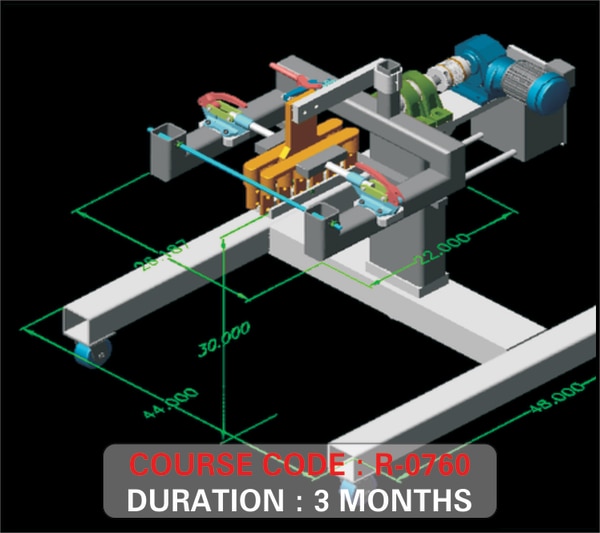
SEMESTER 1 [2D DRAFTING]MECHANICAL & CIVIL• Intro. Auto CAD & User Interface • Layers, Lay outs, Draw & Draw order• Calculation, Units, Limits & Offsets • Navigation, Orbit, Reference, Refedit• Properties, UCS, UCS II, Object Snapping• Enquiry- Distance, Area, Mass/Volume• Drawing- Line, Poli line, Multiline & Rays • Polygon, Rectangle, Ellipse, Donuts & Arches • Hatch, Gradient, Boundary, Region & Wipeout• Block, Block editor, Table, Text & Points• Command & Command Pannel-• Move, Copy, Scale, Trim, Extend, Mirror..etc• Break, Join, Chamfer, Fillet, Explode & Erase• Dimension, Array- Polar & Rectangular • Raster Image Reference & Super Hatches• Format- DWG & DFX options-ASCII & BINARY• Plotting, Publishing, Exporting & JPEG Out SEESTER 2 [PERSPECTIVE & SOLID EDITING]• View, Viewport, Visual Styles • Wireframe, Realistic & Conceptual Styles • Converting Civil Plans to 3D view • Extrude, Union, Subtract & Intersect• Solid Editing- Copy Face, Move Face • Colour, Rotate, Tapper, Offset & Delete Faces• Presspull, Revolve, Loft, Lathe & Shell • Modeling-Polisolid, Box, Wedge, Pyramid etc..• Tool Pallet Window- Material Library• Annotation, Architectural & Imperial Hatches • Lights- Point, Spot & Distant lights• Mapping- Planer, Box, Calendrical & Spherical • Display, User Preference & Profile Setting• Render & Advanced Render Setting• 3D Motion Path Animation • Customize User Interface & Tool Settings • Developing Exterior Elevation for 3D Max ...

View More

FILTER USING TAGS

courses